
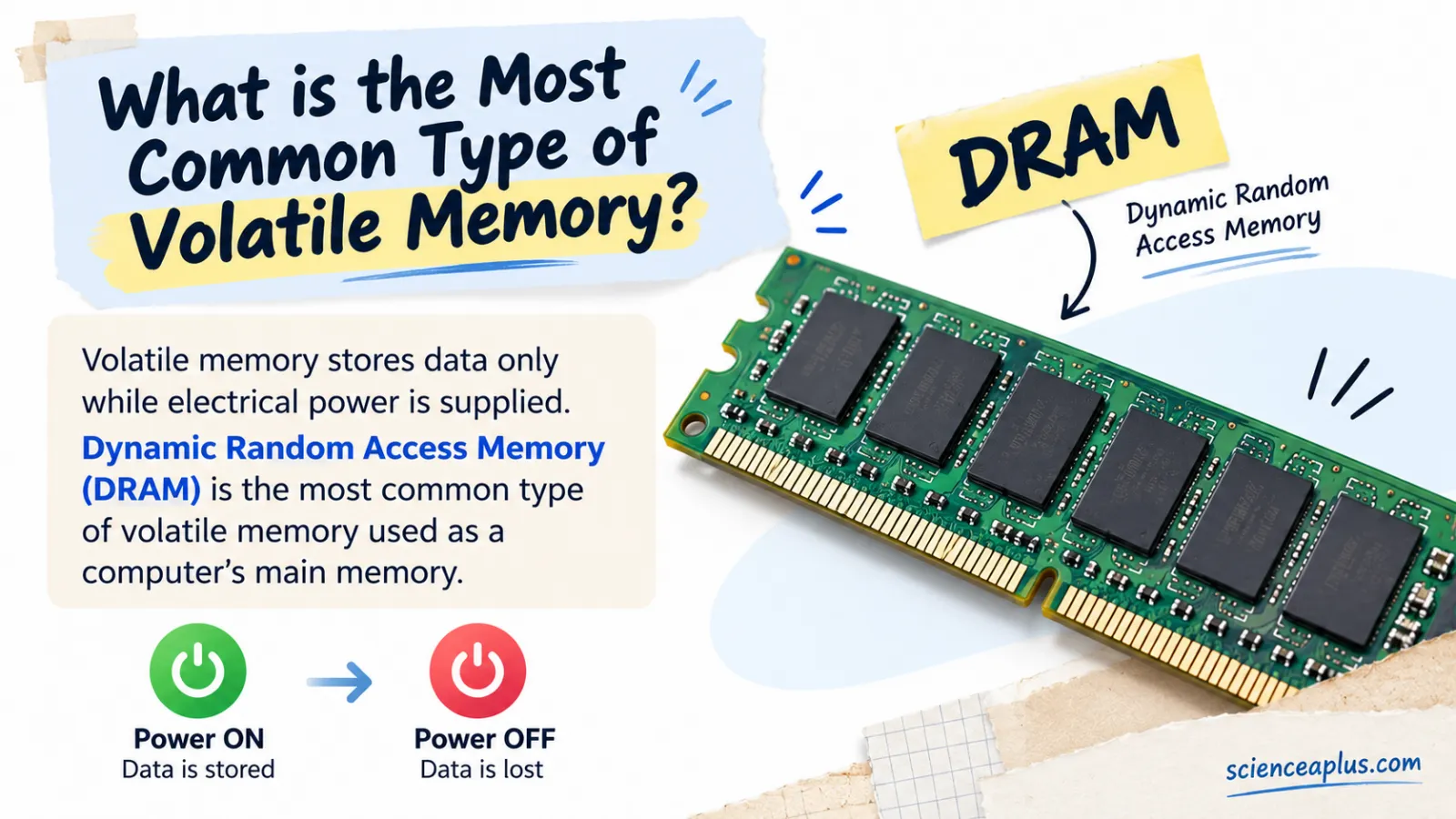
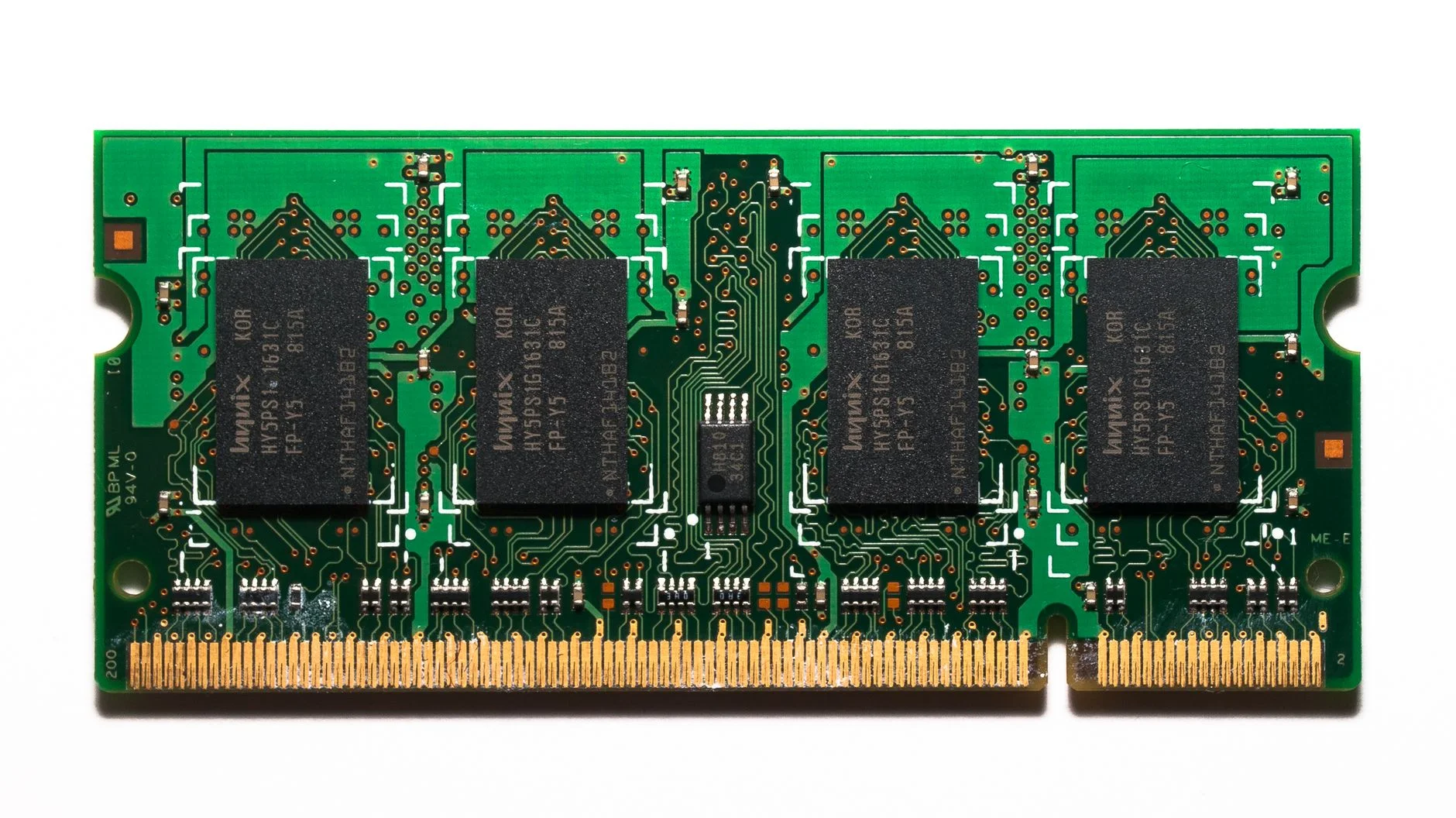
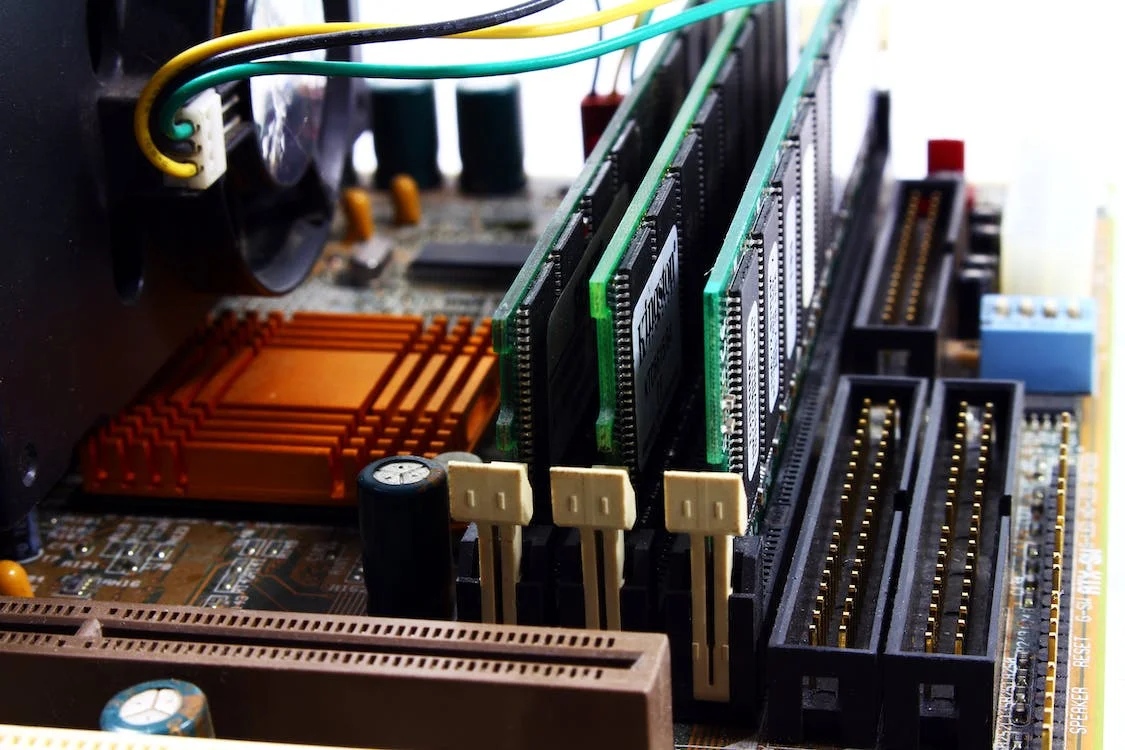
The most common type of volatile memory is DRAM, short for dynamic random access memory. It is the main memory, usually just called "RAM", inside PCs, laptops, phones and servers. Volatile means the memory keeps its data only while it has power: switch the power off and the contents are lost.
This guide explains what volatile memory is, how a DRAM cell stores a bit, why it has to be refreshed, how DRAM differs from the SRAM used for cache, and where DDR5 stands in 2026. At the end there are eight worked maths questions, a memory bandwidth calculator and a quiz.
What is volatile memory?
Volatile memory is computer memory that keeps its data only while the device is powered. Non-volatile memory, such as flash memory, SSDs, hard disks, optical discs and ROM, keeps its data with the power off. That one difference decides what each kind of memory is used for.
Think of RAM as a workspace. When you open a game or a web page, the processor copies what it needs from storage into RAM, because RAM is far quicker to read and write. Your files live in storage; the programs you are running at this moment live in RAM.
Why is it volatile? In DRAM each bit is a tiny electric charge held on a capacitor, and that charge slowly leaks away. In SRAM each bit is held by a small circuit of transistors that only keeps its state while power is supplied. Either way, no power means no memory.
Laptops show the difference neatly. In sleep mode the RAM stays powered, so your work is still there when you open the lid. In hibernate, the computer copies RAM to the drive and then powers off completely. You can read more in our guide to sleep versus hibernate in laptops.
Volatile vs non-volatile memory
This table sorts the common types of memory. It is a favourite revision tool for the memory and storage topic in GCSE and IGCSE Computer Science.
| Type of memory | Volatile? | Typical use |
|---|---|---|
| DRAM | Yes | Main memory (RAM) in PCs, laptops, phones and servers |
| SRAM | Yes | CPU cache and registers |
| NAND flash (SSDs, USB sticks) | No | Storage |
| ROM | No | Firmware and start-up code |
| Hard disk | No | Storage |
| MRAM | No | Niche persistent memory |
Examples of volatile memory
Some of these are volatile and some are not. Tap each card and decide before you flip it.
Notice that the volatile examples are all fast memory close to the processor, while the non-volatile examples are mostly storage or start-up code. That pattern runs through the whole of computer architecture.
RAM versus storage: what happens when you open a program
Following one program from storage to screen makes the idea of volatile memory concrete.
- The program is saved on the SSD or hard disk, which is non-volatile, so it is still there after a shutdown.
- When you open it, the operating system copies the parts it needs into RAM.
- The processor reads instructions and data from RAM, keeping the busiest items in its small SRAM cache.
- When you save your work, it is written back to storage, because RAM would lose it at shutdown.
- When you switch off, RAM and cache are emptied for practical purposes, and storage keeps the saved files.
Why DRAM is the most common type of volatile memory
Other types of volatile memory include SRAM and registers, but they are small. DRAM wins on the numbers that matter for main memory: capacity and cost. Britannica notes that DRAM is generally used for main memory because the same size of chip holds several times as much DRAM as SRAM.

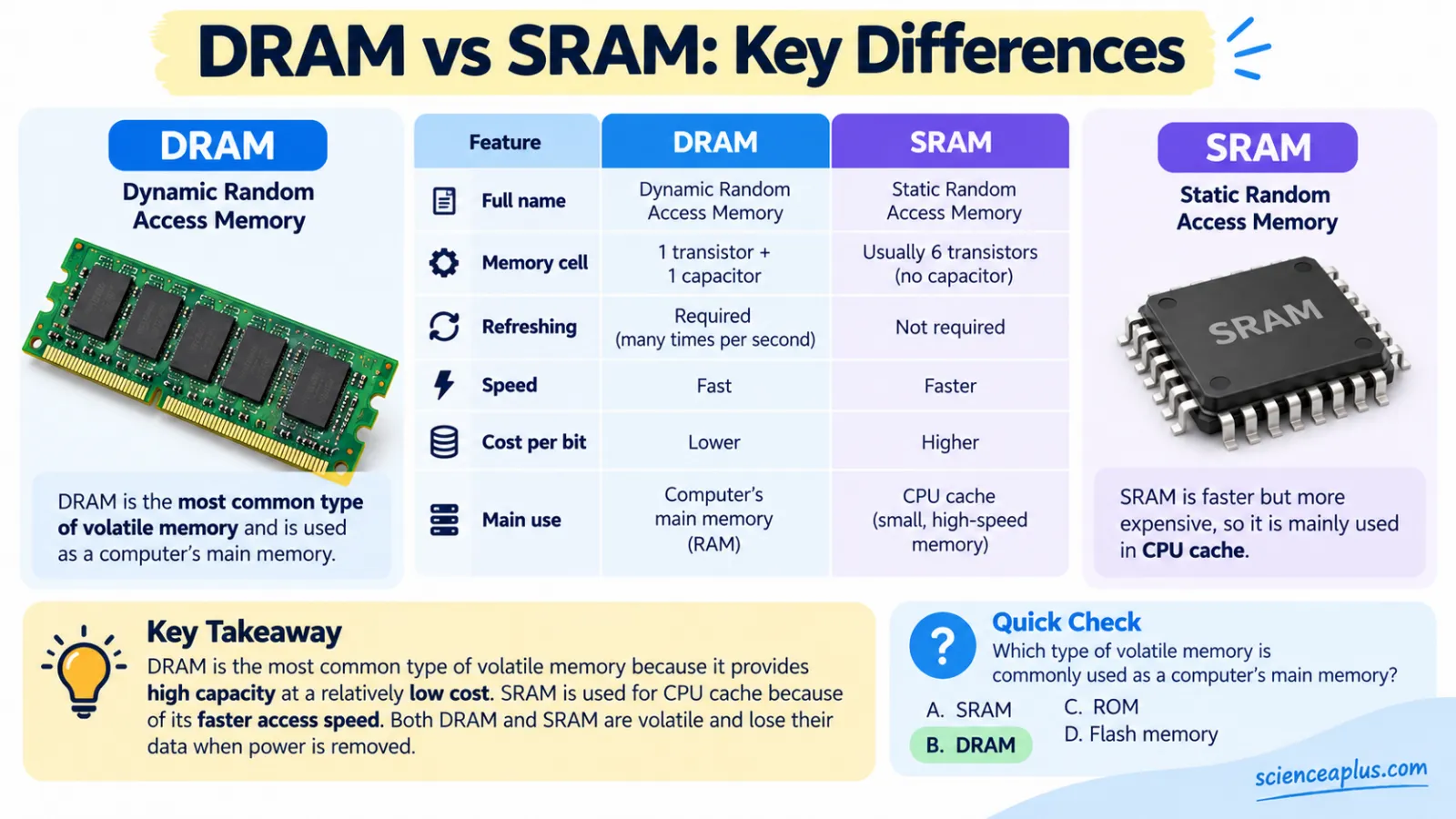
The reason is the cell. A DRAM bit needs just one transistor and one capacitor. An SRAM bit normally needs six transistors, so it takes more silicon area and costs more per bit. SRAM is faster, but a computer with gigabytes of SRAM would be huge and very expensive. DRAM is fast enough, much denser and cheaper, which is why it is the most common type of volatile memory in everyday devices.
It is also a small industry at the top. Three companies, Samsung, SK hynix and Micron, dominate DRAM production.
So the short answer to "what is the most common type of volatile memory?" is DRAM. The next sections show how its tiny cells actually work.
How DRAM stores a bit: the 1T1C cell
Modern DRAM uses a one-transistor, one-capacitor cell, usually written 1T1C. The bit is stored as electric charge on the capacitor. A charged capacitor counts as a 1 and an empty one as a 0. The transistor acts as a switch that connects the capacitor to a wire called the bit line, but only when the word line above it is switched on.
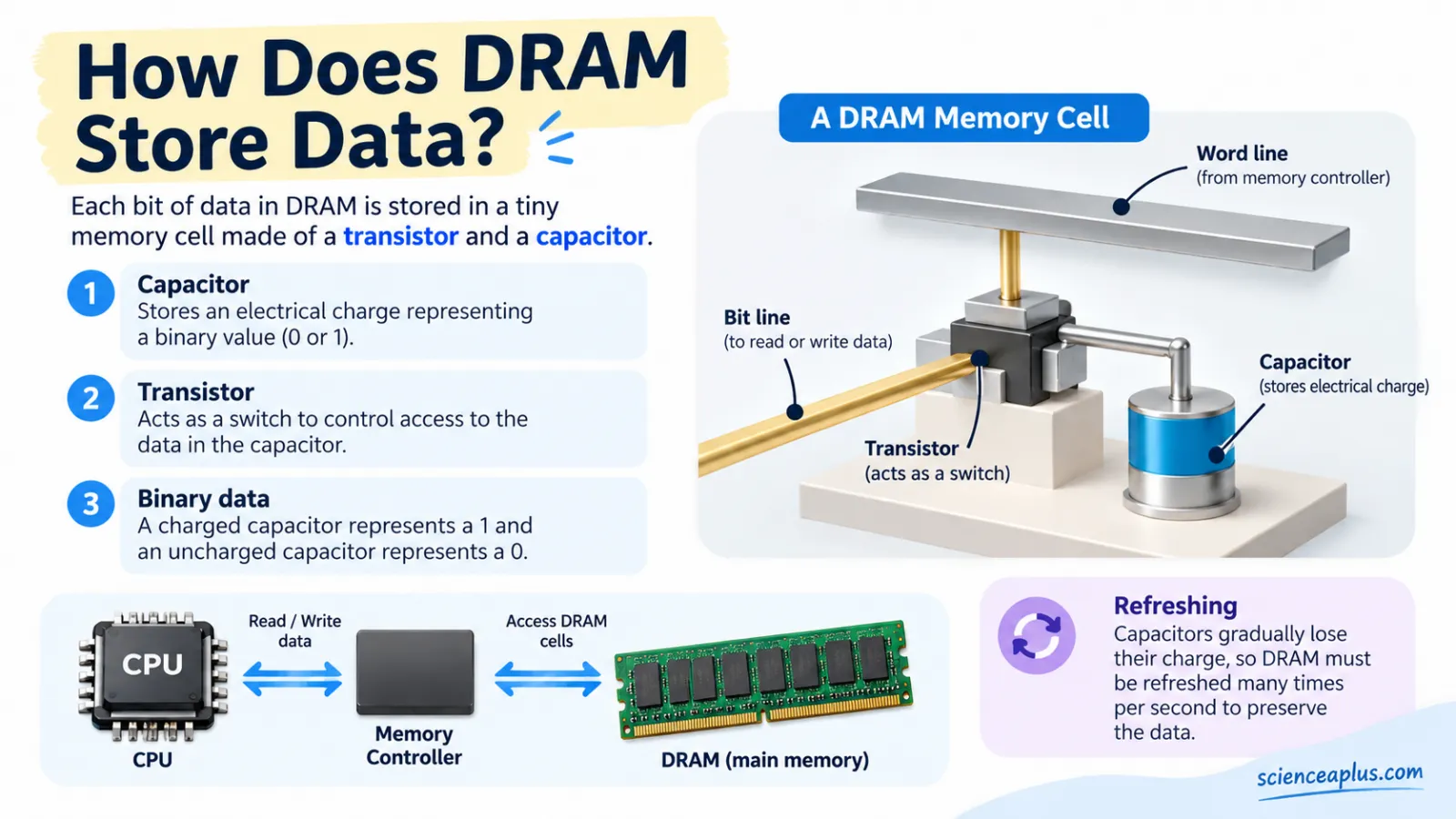
The cells are laid out in a grid of rows and columns. To read or write, the chip switches on one word line, which opens the transistors along a whole row. The bit lines then sense (or set) the charge in every cell of that row.
Reading has a side effect: it drains the little charge stored in the capacitor. The chip therefore rewrites the row straight after reading it. This is part of why the memory is called dynamic.
The idea of charge sitting on a capacitor is the same one you meet in static electricity, where charge stays put until it leaks away. In DRAM the amounts are minuscule, so leakage matters a great deal.
Why DRAM needs refreshing (and how often)
A capacitor is never a perfect store. Charge leaks away through tiny parasitic paths, so every DRAM cell must be refreshed periodically, which means reading it and rewriting it before the charge fades too far. The word "dynamic" in DRAM means exactly this: the data must be kept alive. "Static" memory (SRAM) holds its bit without refresh as long as power is supplied.
The JEDEC standard says each row must be refreshed every 64 ms or less. A DDR4 chip has 213 = 8,192 refresh commands in that window, so the memory controller sends one about every 7.8 µs (exactly 7.8125 µs).
refresh interval = refresh window ÷ number of refresh commands = 64 ms ÷ 8,192 ≈ 7.8 µs
DDR5 tightens this. It also uses 8,192 refresh commands but a 32 ms window, so one command arrives every 3.9 µs up to 85 °C, and every 1.95 µs between 85 °C and 95 °C. DDR4 likewise drops to a 32 ms window at high temperature. Heat makes charge leak faster, so hot chips are refreshed more often.
Refresh in numbers
The totals are surprisingly large. With a 64 ms window, every row is refreshed 1 ÷ 0.064 = 15.625 times a second. The chip as a whole receives 8,192 ÷ 0.064 = 128,000 refresh commands every second. Over one day, a single row is refreshed 86,400 ÷ 0.064 = 1,350,000 times.
All of this happens automatically, controlled by the memory controller, while you browse or play. You never notice it, but it is the reason DRAM is "dynamic". A refresh also keeps the chip busy for a short time, and the maths section below works out roughly how much of the time that costs.
DRAM vs SRAM: what's the difference?
Both are volatile, and both are made on silicon. If you are curious about the material itself, see our page on silicon. The differences come from the cell design.
| Feature | DRAM | SRAM |
|---|---|---|
| Cell | 1 transistor + 1 capacitor (1T1C) | 6 transistors (6T), no capacitor |
| Refresh needed? | Yes, every 64 ms (DDR4) or 32 ms (DDR5) | No |
| Speed | Fast | Faster |
| Density | High | Low |
| Cost per bit | Lower | Higher |
| Main use | Main memory | CPU cache and registers |
| Volatile? | Yes | Yes |
The standard SRAM cell is two cross-coupled inverters, which form a latch, plus two access transistors. The latch holds its bit for as long as power is supplied, so there is nothing to refresh. The price is area: six transistors take far more room than one transistor and a capacitor, so fewer bits fit on a chip and each costs more.
Is cache memory volatile?
Yes. Cache is made of SRAM, and SRAM is volatile. Most of today's computers use DRAM for the main memory and SRAM for the processor cache. Together with the drive, they form a memory hierarchy.
| Level | Technology | Volatile? | Speed and size |
|---|---|---|---|
| Registers | Latch circuits | Yes | Fastest, smallest |
| Cache | SRAM | Yes | Very fast, small |
| Main memory | DRAM | Yes | Fast, large |
| Storage | SSD (NAND flash) or hard disk | No | Slowest, largest and cheapest per bit |
Moving down the table, memory gets bigger, cheaper and slower. Moving up, it gets smaller, faster and more expensive. Computer designers mix the levels so the processor usually finds what it needs in the fast memory at the top.
Explain why SRAM is used for cache but DRAM for main memory. (3 marks)
SRAM is faster than DRAM and needs no refresh, so it suits cache, which must keep up with the processor. However, an SRAM cell uses more transistors, takes more space and costs more per bit, so it is only used in small amounts. DRAM cells are smaller and cheaper per bit, so large amounts of main memory are affordable, and it is still fast enough.
SDRAM and DDR: how memory got faster
Most main memory today is SDRAM, short for synchronous DRAM. "Synchronous" means its operations are timed by a clock signal shared with the memory controller. Plain SDRAM, now called SDR (single data rate), transfers data once per clock cycle.
DDR stands for double data rate. DDR SDRAM moves data on both the rising and the falling edge of the clock, so it transfers twice per cycle. Memory speeds are therefore quoted in MT/s, millions of transfers per second, rather than in MHz. DDR4-3200 means 3,200 MT/s, which comes from a 1,600 MHz I/O clock.
DDR4 vs DDR5 (and every generation before)
Each DDR generation raised the data rate and lowered the voltage. The table shows the main steps. Years are release years, with the JEDEC publication date where known.
| Generation | Year | Data rate (MT/s) | Voltage |
|---|---|---|---|
| DDR | 1998 chips; JEDEC JESD79 finalised June 2000 | 200–400 | 2.5 V |
| DDR2 | 2003 | 400–1066 | 1.8 V |
| DDR3 | 2007 | 800–2133 | 1.5 V (DDR3L 1.35 V) |
| DDR4 | September 2012 (JESD79-4); in PCs from 2014 | 1600–3200 | 1.2 V |
| DDR5 | 14 July 2020 (JESD79-5) | Up to 8800 (launch speed 4800) | 1.1 V |
So, is DDR5 better than DDR4? On the numbers, yes. The JEDEC DDR5 release gave a launch speed of 4.8 Gbps per pin, 50% higher than DDR4's end-of-life speed of 3.2 Gbps, and described it as double the bandwidth of DDR4. A later JEDEC update added speeds up to 8,800 MT/s, up from 6,400 in the 2020 specification.
The design changed too:
- Two sub-channels. A DDR5 module has two independent 32-bit subchannels, so it still has 64 data bits in total (36 or 40 bits each with ECC).
- Burst length 16. Burst length doubled to 16, and 16 × 32 bits = 64 bytes, which is one typical CPU cache line.
- More banks. The bank count doubled from 16 to 32.
- Lower voltage. DDR5 runs at 1.1 V, supplied by a power-management chip (PMIC) on the module itself.
- On-die ECC. Every chip includes error correction.
- Bigger modules. The maximum capacity of a single memory module rose sharply, with DDR5 server modules of 256 GB and more now announced.
Peak bandwidth follows from a simple rule. Memory makers quote GB/s in decimal, where 1 GB/s is 109 bytes per second.
bandwidth (GB/s) = transfer rate (MT/s) × bus width (bytes) ÷ 1,000
A 64-bit bus is 8 bytes wide. Try the calculator below, then check your results against the worked questions at the end of the article.
How to read a memory label
A module name such as DDR5-4800 packs two facts into one label: the generation (DDR5) and the transfer rate (4,800 MT/s). Use the checklist to decode any label you meet.
- Find the generation: it sets the voltage and the range of speeds in the table above.
- Find the number after the dash: it is the data rate in MT/s.
- Assume a 64-bit bus (8 bytes) for a module, then multiply to get peak GB/s.
- Remember that real programs get less than the theoretical peak.
DRAM in phones, laptops and data centres
DRAM is not only found on removable sticks. Phones and many thin laptops use LPDDR, low-power DRAM that is usually soldered next to the processor and runs at a lower voltage than DDR5. JEDEC published the LPDDR6 standard (JESD209-6) in July 2025. If you want to see how hardware choices shape a handset, read about metal oxides and cell phones.
AI chips and GPUs often use HBM, high bandwidth memory, which stacks several DRAM dies on top of each other. The JEDEC HBM4 standard (JESD270-4), published on 16 April 2025, has a 2,048-bit interface at up to 8 Gb/s per pin, giving about 2 TB/s per stack. A stack can hold 4 to 16 dies and up to 64 GB.
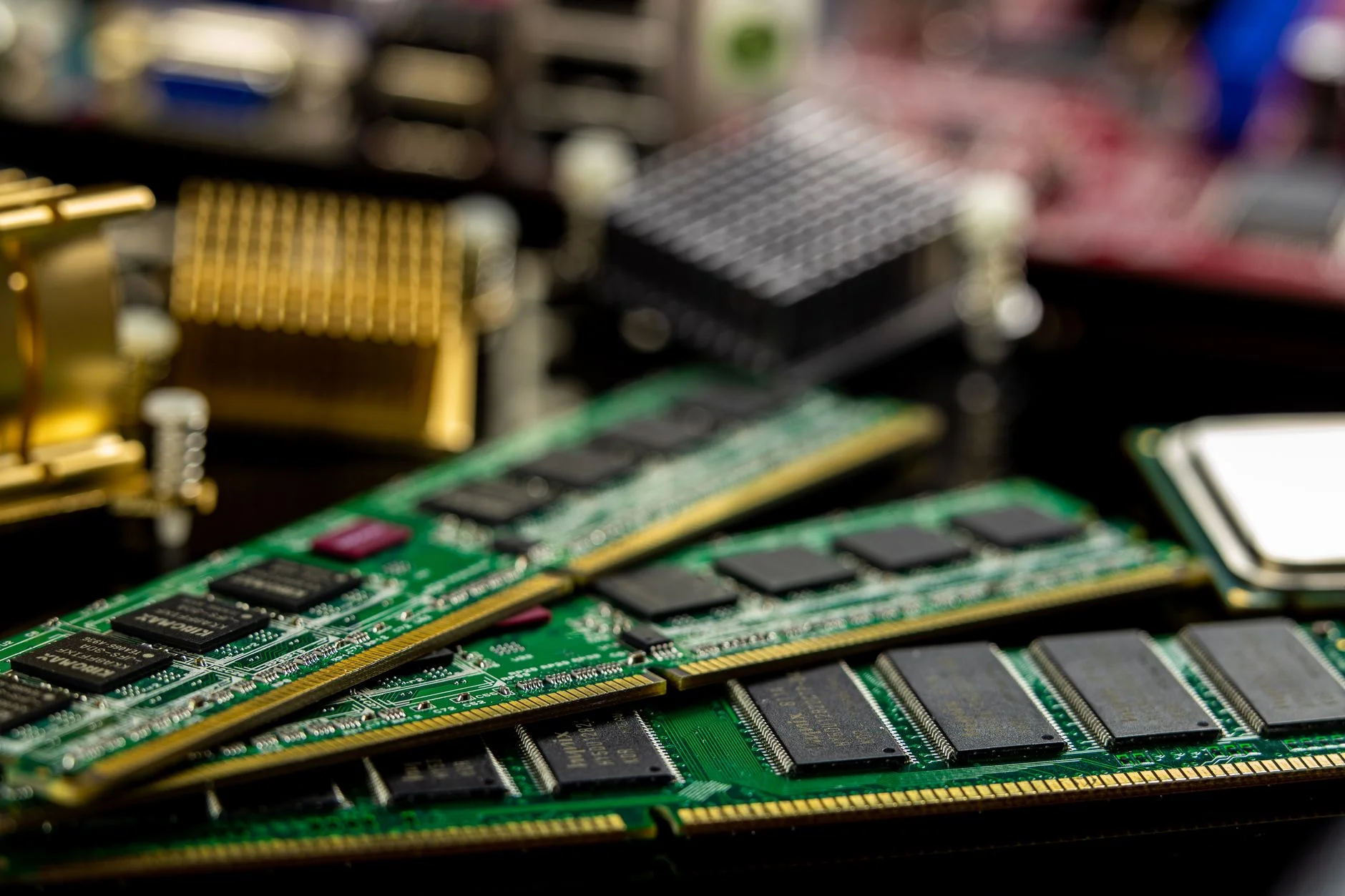
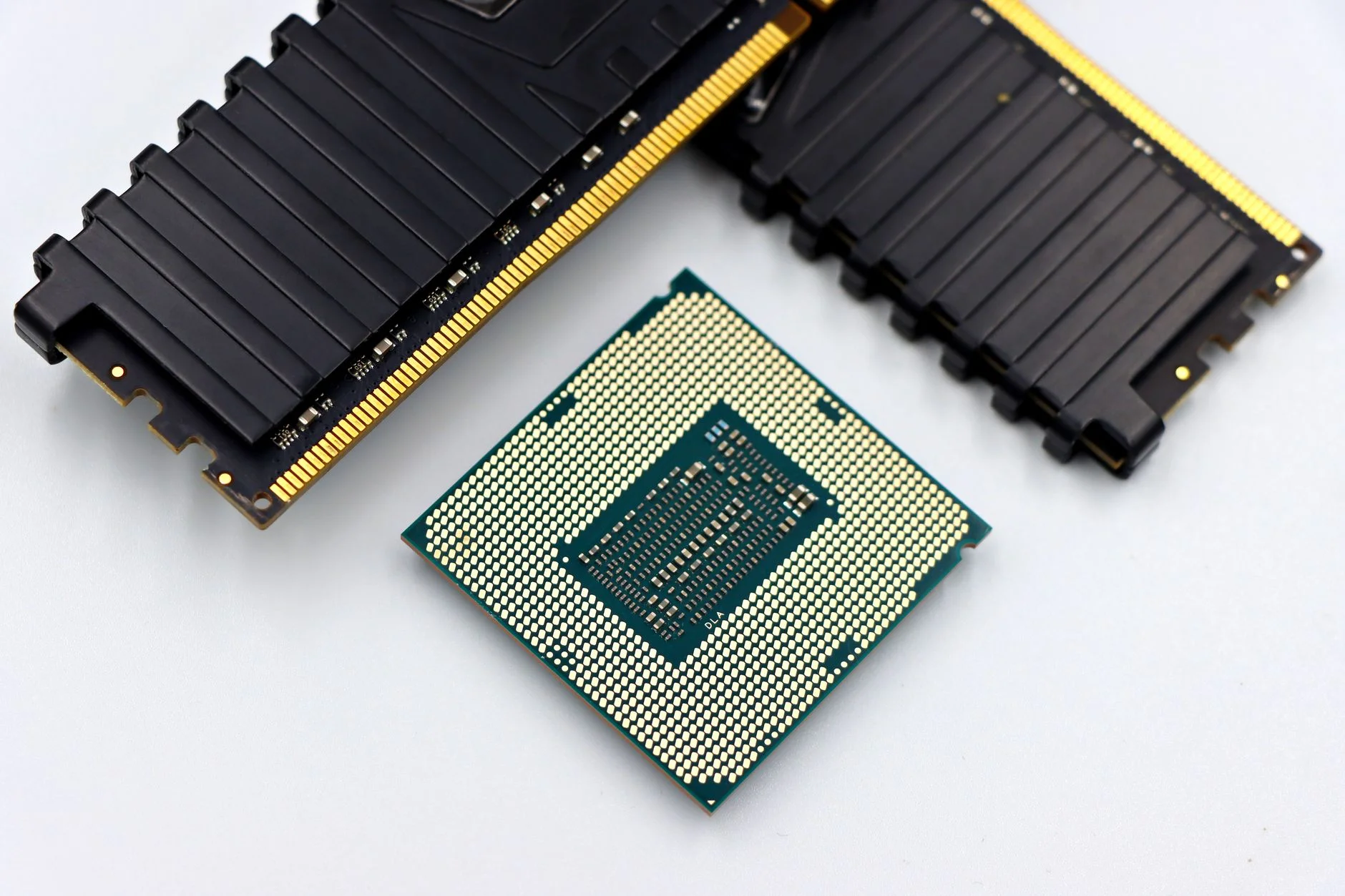

Servers in data centres hold huge amounts of DRAM, because the programs they run need fast access to large data sets. These machines are linked by computer networks, and everything from web pages to video calls passes through their memory on the way.
What's new in 2026: DDR6, shortages and non-volatile rivals
Is DDR6 out yet? No. DDR5 is JEDEC's current main-memory standard, with its latest revision, JESD79-5D, published in November 2025. DDR6 is in development, not yet a published standard. Industry analysts such as TrendForce do not expect DDR6 products before about 2028 to 2029, so no DDR6 products are on sale in 2026.
Memory has also been in the news for price. AI data-centre demand pulled factory capacity towards HBM and server memory, and TrendForce reported that conventional DRAM contract prices rose by about 93–98% quarter on quarter in the first quarter of 2026, and it forecast further steep rises in the second quarter. These are contract prices paid by device makers, not shop prices.
Engineers also keep shrinking the cells, a theme that links to nanotechnology. Meanwhile, rivals exist, but they are non-volatile. MRAM stores bits as the magnetic orientation of a thin layer. Phase-change memory switches a chalcogenide alloy between amorphous (high resistance) and crystalline (low resistance) states with heat pulses, and neither state needs power. Intel announced in July 2022 that it was winding down Optane, its 3D XPoint persistent memory, with a $559 million inventory write-off. DRAM remains the main working memory.
Maths practice questions
These eight questions use the numbers from this article. Try each one on paper first, then tap to reveal the worked answer. One units note: memory makers quote bandwidth in decimal GB/s (1 GB/s = 109 bytes per second), while chip and module capacities are binary (a 1 GB module is 230 bytes, strictly a GiB). The questions below never mix the two inside one calculation.
1. A DRAM chip holds 16 Gb (gigabits). How many gigabytes is that? (2 marks)
There are 8 bits in a byte. 16 × 230 bits ÷ 8 = 2 × 230 bytes, which is 2 GB.
2. How many 16 Gb chips make a 16 GB memory module? (1 mark)
Each chip is 2 GB, so 16 ÷ 2 = 8 chips.
3. How many bits are in 8 GB of RAM? How many transistors would it need if it were built from 6T SRAM instead of 1T1C DRAM? (3 marks)
Bits: 8 × 230 × 8 = 68,719,476,736 bits, about 68.7 billion cells. In DRAM each cell has one transistor (and one capacitor), so there are about 68.7 billion transistors. As 6T SRAM: 68,719,476,736 × 6 = 412,316,860,416 transistors, about 412 billion.
4. The Intel 1103 stored 1,024 bits. How many bytes is that, and how many 1103 chips would hold the same as a 16 GB module? (2 marks)
1,024 ÷ 8 = 128 bytes. A 16 GB module is 234 bytes = 237 bits. Dividing by 1,024 (210) gives 227 = 134,217,728 chips' worth.
5. Calculate the peak bandwidth of one DDR5-4800 module on a 64-bit channel, and of two such channels in dual-channel mode. (3 marks)
A 64-bit bus is 8 bytes. Bandwidth = 4,800 × 106 × 8 = 38.4 × 109 bytes per second = 38.4 GB/s. Two channels: 2 × 38.4 = 76.8 GB/s. (Stretch: HBM4 gives 2,048 bits × 8 Gb/s = 16,384 Gb/s ÷ 8 = 2,048 GB/s, about 2 TB/s.)
6. How much faster is the peak bandwidth of DDR5-6400 than DDR4-3200? (2 marks)
DDR5-6400: 6,400 × 8 ÷ 1,000 = 51.2 GB/s. DDR4-3200: 3,200 × 8 ÷ 1,000 = 25.6 GB/s. 51.2 ÷ 25.6 = 2 times as fast, that is, double the peak bandwidth.
7. A DRAM chip must refresh every row within 64 ms using 8,192 refresh commands. Find the time between commands and the number of times each row is refreshed per second. (2 marks)
Interval = 64 ms ÷ 8,192 = 7.8125 µs (about 7.8 µs). Refreshes per row per second = 1 ÷ 0.064 = 15.625.
8. A typical 8 Gb chip is kept busy for about 350 ns by each refresh, which arrives every 7.8125 µs. What fraction of the time is it refreshing? (2 marks)
7.8125 µs = 7,812.5 ns. 350 ÷ 7,812.5 = 0.0448, so the chip is busy refreshing for about 4.5% of the time. (The 350 ns is a typical figure, not a fixed value for every chip.)
If you would like to write more about memory technology, our list of computer science essay topics is a good place to find an angle.
Quiz: test yourself on volatile memory
Key points to remember
Frequently asked questions about the most common type of volatile memory
What is the most common type of volatile memory?
The most common type of volatile memory is DRAM, dynamic random access memory. It is the main memory, or RAM, in most PCs, laptops, phones and servers. It is chosen because it packs more bits into the same chip area than SRAM and costs less per bit.
Is RAM volatile or non-volatile?
RAM is volatile. Both DRAM and SRAM lose their contents when power is removed. ROM, by contrast, is non-volatile and keeps its data with the power off, which is why it is used to hold start-up instructions and firmware.
Why is RAM called volatile?
RAM is called volatile because it keeps data only while powered. In DRAM each bit is a small charge on a capacitor that leaks away, and in SRAM each bit sits in a latch circuit that needs a supply of power. Remove the power and the stored bits are lost.
Is cache memory volatile?
Yes, cache memory is volatile. It is built from SRAM, which holds each bit in a six-transistor latch that needs power. SRAM does not need refreshing, and it is faster than DRAM, but its contents are lost when the processor is switched off.
Is ROM volatile?
No, ROM is non-volatile. Its contents stay in place when the power is off, so a computer can find its start-up instructions every time it is switched on. RAM, by contrast, is volatile and starts empty each time the computer boots.
What is the difference between DRAM and SRAM?
A DRAM cell uses one transistor and one capacitor and must be refreshed, while an SRAM cell uses six transistors and needs no refresh. SRAM is faster but larger and dearer per bit, so it is used for cache. DRAM is denser and cheaper, so it is used for main memory.
How often does DRAM need to be refreshed?
Under the JEDEC standard each DRAM row is refreshed every 64 ms or less for DDR4, and every 32 ms for DDR5. With 8,192 refresh commands in the window, that is one command about every 7.8 µs for DDR4 and every 3.9 µs for DDR5 up to 85 °C.
Is DDR6 RAM available yet?
No. As of October 2026, DDR6 is in development at JEDEC and is not yet a published standard. DDR5 is the current main-memory standard. Industry analysts such as TrendForce do not expect DDR6 products before about 2028 to 2029, so no DDR6 products are on sale yet.
Does RAM lose its data the instant the power goes off?
No, DRAM shows limited data remanence. Research on cold-boot attacks found that modules kept their contents for several seconds at room temperature after power loss. When cooled, fewer than 1% of bits had decayed after 10 minutes. In normal use, though, you should treat RAM contents as lost.